Quiet by default
Telemetry and remote experiments are disabled. Pocket, crash reporting, DRM, and background updates are compiled out.
NordFox is a native, hardened Firefox ESR build for Windows, Linux, and macOS—stripped of noise, locked down for privacy, and wrapped in a calmer kind of web.
Native packages · Verified source · No analytics
The premise
No growth loops. No remote experiments. No invisible audience in the room. Just pages, tools, and the person using them.
NordFox starts with Mozilla Firefox ESR and LibreWolf-inspired privacy defaults, then removes more network-facing machinery at the source. Sensible protections are on before the first tab opens—and every tradeoff stays yours to change.
What’s inside
Privacy is a property of the build, not a button tucked into settings.
Telemetry and remote experiments are disabled. Pocket, crash reporting, DRM, and background updates are compiled out.
Quad9 DNS-over-HTTPS runs in TRR-only mode, with Encrypted Client Hello enabled to conceal more of each connection.
Resist Fingerprinting, letterboxing, canvas randomization, and a 100 μs timing floor reduce identifying signals.
Widevine and EME are compiled out. NordFox stays a browser, not a locked media appliance.
Malware and phishing lists are checked locally, without per-download remote lookups.
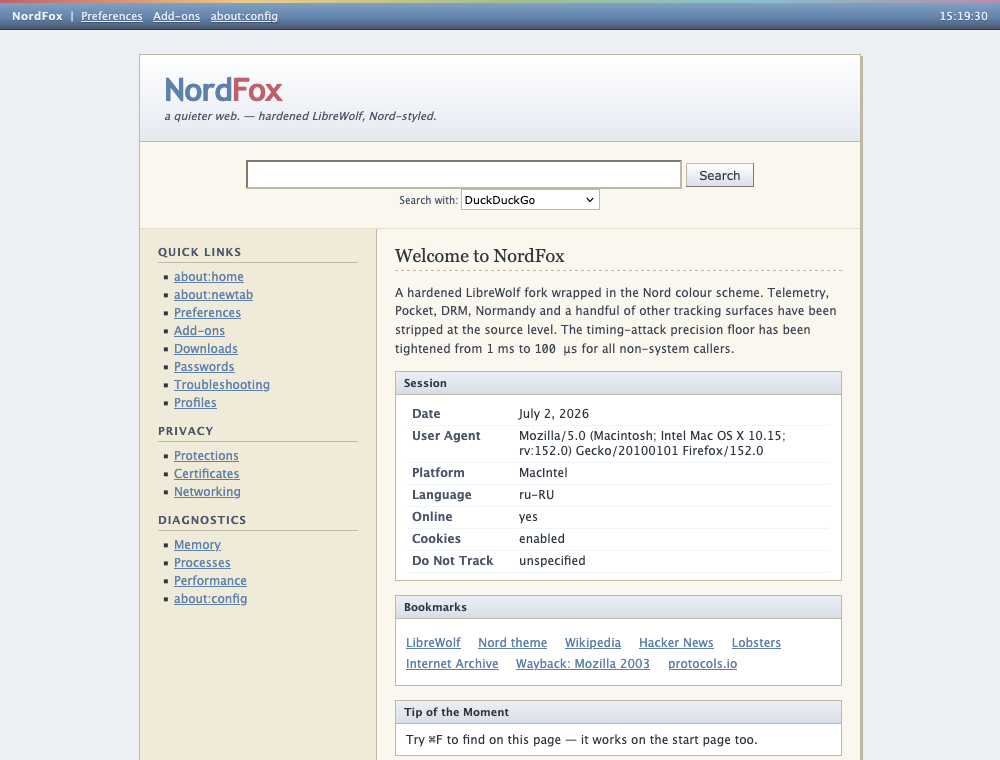
Classic square tabs, a status bar, and a focused start page bring back the browser chrome that stayed out of your way.
A familiar place
NordFox borrows the clarity of early Firefox and the cool restraint of the Nord palette. Controls look like controls. The start page is useful. Your browser feels like a tool again.
Build it yourself
The entire patch and branding pipeline is readable. A full build verifies Mozilla’s Firefox ESR archive, applies NordFox hardening, compiles on the target operating system, then creates its native package.
# Linux x86_64
$ python3 build_native.py linux all

# Windows x86_64 · PowerShell
PS> python build_native.py windows all
Native downloads
Each edition uses the same verified Firefox ESR source and the same NordFox hardening patches.
Native Windows
Release pendingOpen GitHub Releases and download the Windows installer.
If SmartScreen appears, choose More info, then Run anyway.
Follow the installer and launch NordFox from the Start menu.
The first installer is unsigned, so Microsoft Defender SmartScreen may ask for one explicit confirmation.
Open Windows downloadsGitHub ReleasesNative Linux
Release pendingOpen GitHub Releases and download the Linux archive.
Extract it with: tar -xjf NordFox-*-linux-x86_64.tar.bz2
Run the browser with: ./nordfox/nordfox
The archive contains the complete native browser. It does not replace your system Firefox installation.
Open Linux downloadsGitHub ReleasesNative macOS
Coming soonOpen GitHub Releases and download the Apple Silicon DMG when available.
Open the DMG and drag NordFox.app into Applications.
Right-click NordFox.app, choose Open, then confirm the first launch.
The macOS package will target M-series Macs. Until notarization is added, the first launch may require one explicit confirmation.
Check macOS release statusGitHub ReleasesWindows and Linux packaging is ready; the macOS Apple Silicon package is in preparation. Follow the native build update.
Questions, answered
Yes. Windows and Linux compile Firefox ESR and the NordFox source patches on their target operating systems. The macOS option tracks a separate native Apple Silicon DMG release.
The first Windows release is not code-signed. Check the matching SHA-256 file on GitHub, then choose More info and Run anyway if you trust the download.
No. Extract it wherever you like and run the NordFox executable inside the folder. It keeps its application files separate from your distribution’s Firefox package.
Before notarization is added, macOS may block the first launch. Right-click NordFox.app, choose Open, then confirm once. Later launches work normally.
An updater is also a remote-code channel. NordFox ships deliberate, inspectable releases; install a newer version manually from GitHub Releases.
Yes. Strict DNS, WebRTC, WebGL, service-worker, and anti-fingerprinting settings can expose brittle sites. Every hardening choice is a documented preference that you can adjust in about:config.
NordFox uses LibreWolf-inspired privacy defaults on top of Firefox ESR, then adds source-level de-bloat, tighter timing precision, custom branding, and its Nord-inspired interface.
NordFox 140.13.0-1
Every published package includes a matching checksum file.